

On this page
Events
See the group's events in the app, sign up, take a task, add them to your calendar, and create new events.
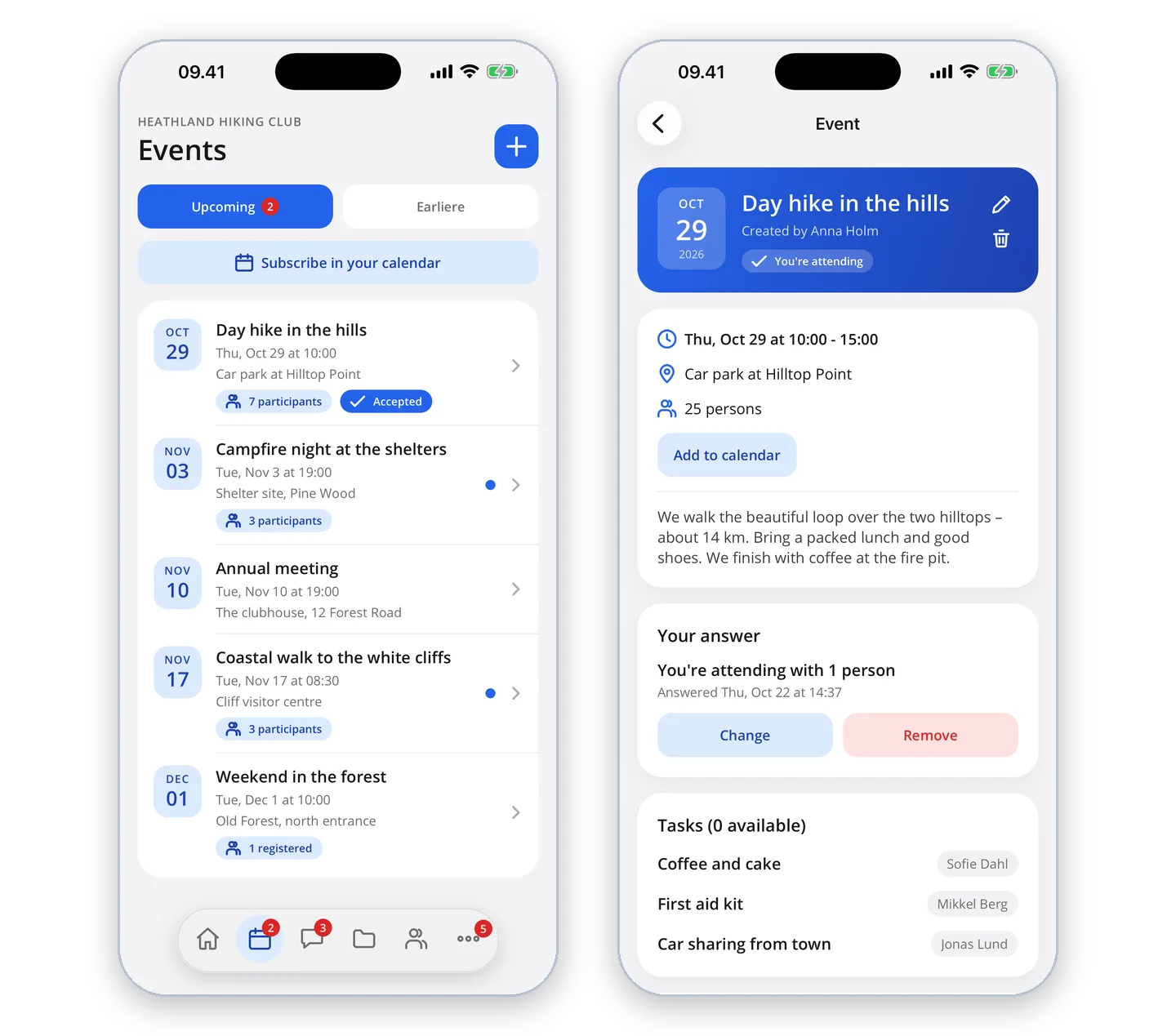
Under "Events" you see the group's upcoming events, and the earlier ones in the other tab. Tap an event to see the time, place, description and attached files.
Signing up
If the event needs a sign-up, tap "Accept" or "Decline". To change your answer later, tap "Change". If the event has tasks – such as driving or bringing cake – you can take a task once you have signed up.
Calendar
"Add to calendar" puts the event in your phone's calendar. "Subscribe in your calendar" puts all of the group's events in your calendar and keeps it up to date by itself.
Create event
If you are allowed to create events in the group, you can also do it in the app with "+" – with sign-up, repetition, tasks and attached files.